
You can spend weeks securing a placement and never notice when it changes. A backlink alert is meant to close that gap: instead of repeatedly opening every publisher page, you receive a notification when monitoring detects something worth reviewing.
But an alert is only as useful as the verification behind it. A crawler timeout should not be treated the same as a confirmed removed backlink. A good alerting workflow makes that distinction clear.
What is a backlink alert?
A backlink alert is a notification about a detected change to a monitored link. It might tell you that the expected backlink disappeared, returned after being missing, changed anchor text, or acquired a nofollow attribute.
Some SEO platforms also alert you when their databases discover new or lost links. That is useful for backlink profile research, but it differs from checking a predefined list of acquired placements. For paid editorial links, the second approach often answers a more immediate operational question: is the placement we agreed on still intact?
The five alerts worth tracking
| Alert | What changed | Typical action |
|---|---|---|
| Confirmed missing link | Page was checked but the expected backlink was absent | Verify evidence and contact publisher |
| Restored link | Previously missing backlink is found again | Close recovery task and document restoration |
| Anchor-text change | Visible linked text differs from baseline | Compare with placement agreement |
| Link-attribute change | rel values such as nofollow or sponsored changed | Review whether change matters to campaign |
| Placement or context change | Link's surrounding text or location changed | Check editorial context and relevance |
These events are not equally urgent. A confirmed removal of an expensive placement generally deserves faster attention than a minor editorial change around a still-live link.
Lost backlink alerts: verify before escalating
Suppose you paid for a contextual backlink in a SaaS publication. An alert says the link is missing. Before emailing the editor, check what the monitoring system actually observed.
Did it successfully retrieve the article and fail to find the expected destination? Did the page return a genuine 404? Or did it encounter a 403 challenge, a timeout, or a temporary 503 error?
Only the first two outcomes provide direct evidence that the original placement may no longer be available. Blocked and failed crawls require further verification. Sending a removal complaint based on an access error wastes time and can damage publisher relationships.
For instance, a SaaS founder who paid an agency for a placement should receive a clear loss notification when the expected link is demonstrably absent. An inaccessible publisher page should instead be investigated as an unconfirmed check, so the founder does not challenge the agency on weak evidence.
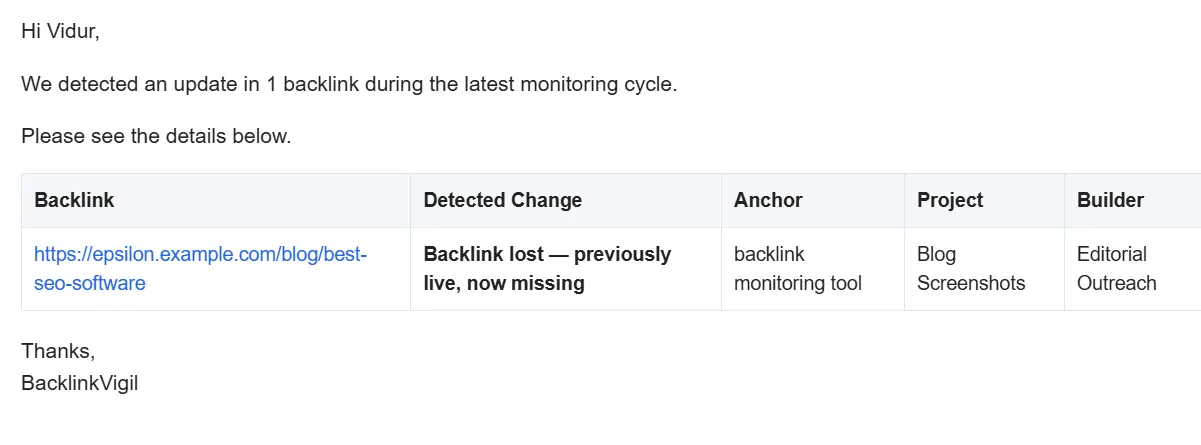
Illustrative Backlink Vigil change email for a previously live backlink that is now missing.
For a complete verification workflow, see how to monitor backlinks.
Anchor-change alerts: not every edit is a problem
Imagine an agreed anchor was “AI customer support software,” but the publisher changes it to your brand name. The backlink still exists and points to the same page. Whether that matters depends on the campaign agreement and the new context.
A useful alert includes the previous anchor and the new anchor. That lets a link builder review the change without reconstructing the original placement from old spreadsheets.
Avoid treating every anchor edit as a crisis. Sometimes a publisher makes a reasonable editorial change. The alert should help you decide whether a follow-up is justified.
Dofollow, nofollow, sponsored, and UGC alerts
A link can remain present while its HTML attributes change. For example:
<a href="https://example.com/product">Example product</a>might become:
<a href="https://example.com/product" rel="nofollow">Example product</a>The destination and anchor are unchanged, but the link now carries a different search-engine hint. If the agreed placement specified link attributes, this is worth reviewing.
Backlink Vigil can surface this as a link-type change in its change-based email, making it possible to review the original agreement without manually inspecting the page again.
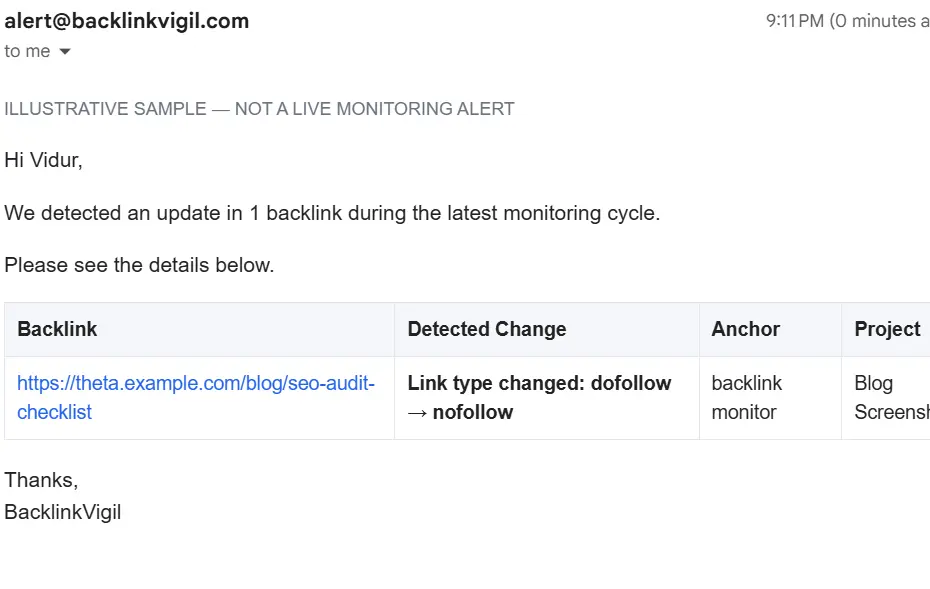
Illustrative email showing a detected dofollow-to-nofollow change.
Likewise, sponsored can indicate an advertising or paid-link relationship, while ugc is used for user-generated content. These are link attributes, not evidence that the hyperlink itself has disappeared. Read our dofollow vs nofollow checker guide for examples.
What should an alert contain?
A useful notification should provide enough context to act:
Client or project name and the linking page URL
Expected destination URL
Type of change detected
Previous and current values when relevant
Date and time the change was detected
Verification status, especially if the page could not be reliably checked
A link to the monitoring record or change history
For agencies, grouping multiple changes into a clear digest can be more useful than sending a separate email for every event.
Avoid alert fatigue
If a crawler retries the same inaccessible page repeatedly, you should not receive a new “lost link” alert every time. Good monitoring distinguishes new changes from an unchanged problem and applies sensible notification controls.
A simple priority system works well:
High priority: confirmed missing backlink or wrong destination on an important paid placement.
Review soon: dofollow-to-nofollow change, unexpected anchor change, or meaningful placement move.
Investigate: repeated verification failures without evidence of removal.
Informational: restoration of a previously missing link.
Use project-specific recipients when multiple teams or clients are involved. People should receive alerts about the placements they actually own.
In Backlink Vigil, the account’s primary email receives the consolidated change notifications. A Pro project can also have additional alert email recipients, so the right stakeholder receives updates for that project. For example, an SEO manager can keep the primary account inbox while adding the campaign owner or an agency contact to a specific project. This helps avoid forwarding unrelated client updates.
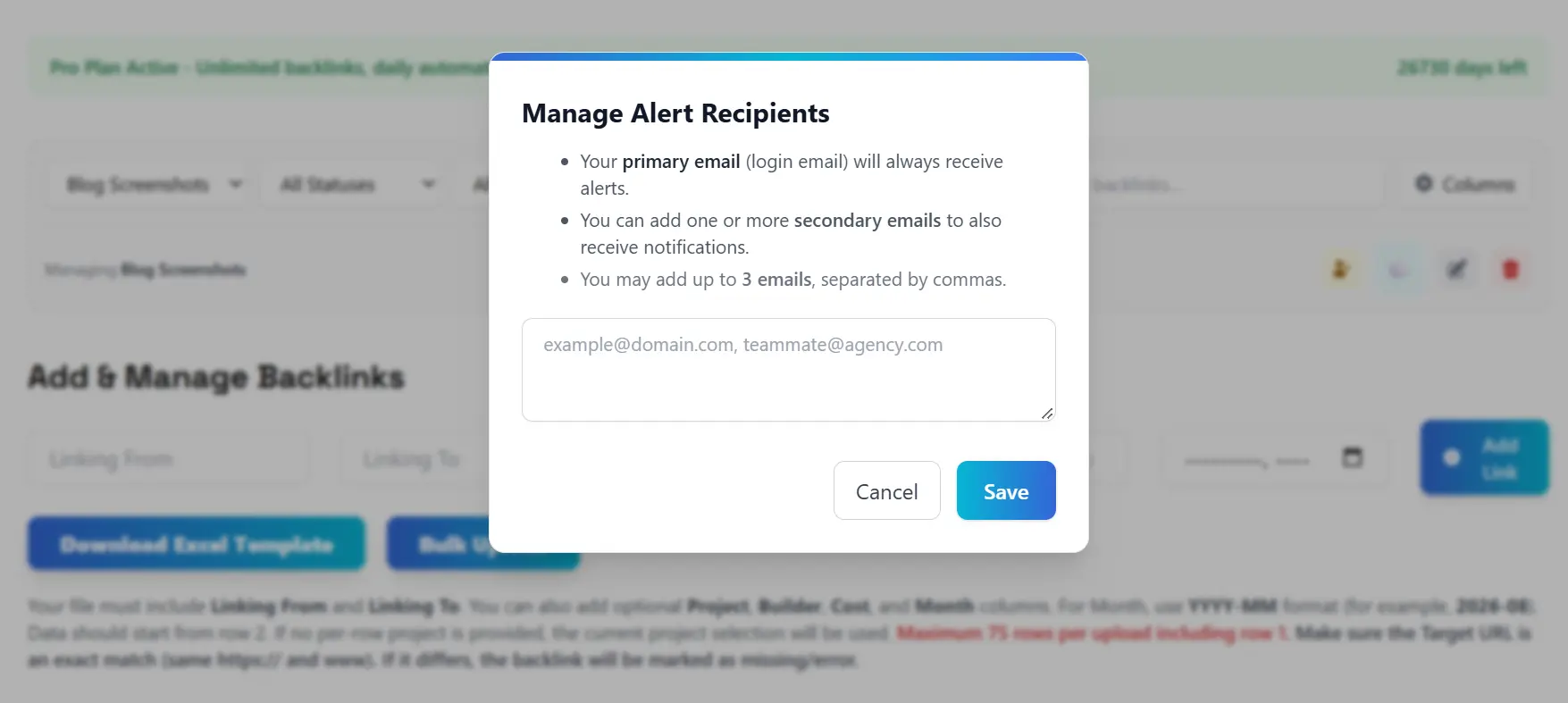
Project-level alert recipient settings: additional addresses for the relevant project.
Email versus Slack backlink alerts
Email is useful for an auditable record and for external stakeholders who do not work in your team chat. Slack can be useful for internal triage when link builders need to act quickly. Neither channel improves detection accuracy on its own; accuracy depends on how the page was verified.
Backlink Vigil supports change-based email notifications and Slack notifications for eligible plans, alongside link history and project organization. Its monitoring is based on daily checks—not continuous, real-time observation of every page.
Slack notifications can route actionable backlink changes into a team channel for quicker triage. A link builder can investigate a missing placement there, while an SEO lead retains the email record. Email recipients and Slack are complementary—not reasons to send a message every time an unchanged link is checked.
Backlink Vigil checks acquired links daily. Daily change emails are event-driven: if no meaningful change is detected, there is no routine “nothing changed” alert. The separate weekly email is scheduled for Monday and summarizes current issues and link changes when present; it can also confirm that all monitored links are live when there are no issues.
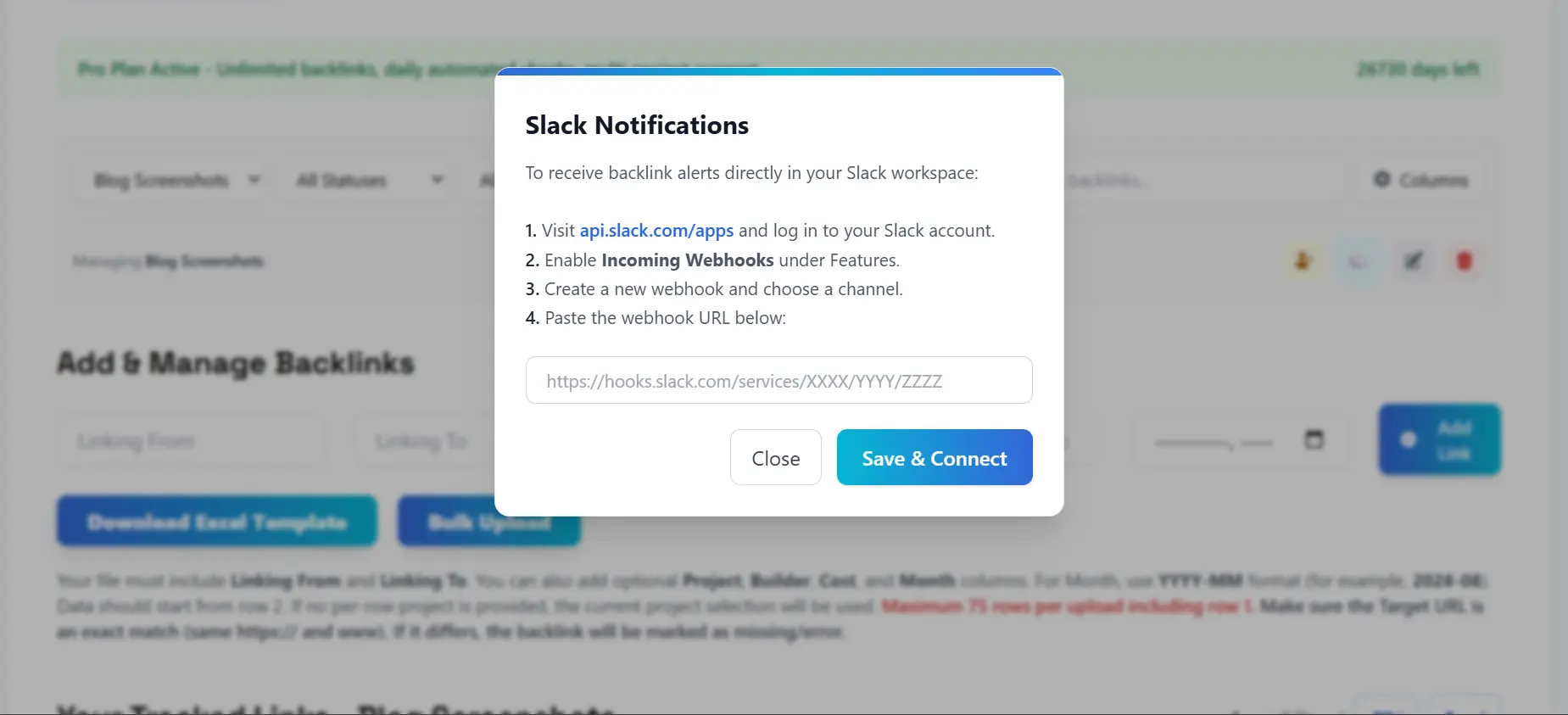
Slack webhook setup for project-level backlink notifications.
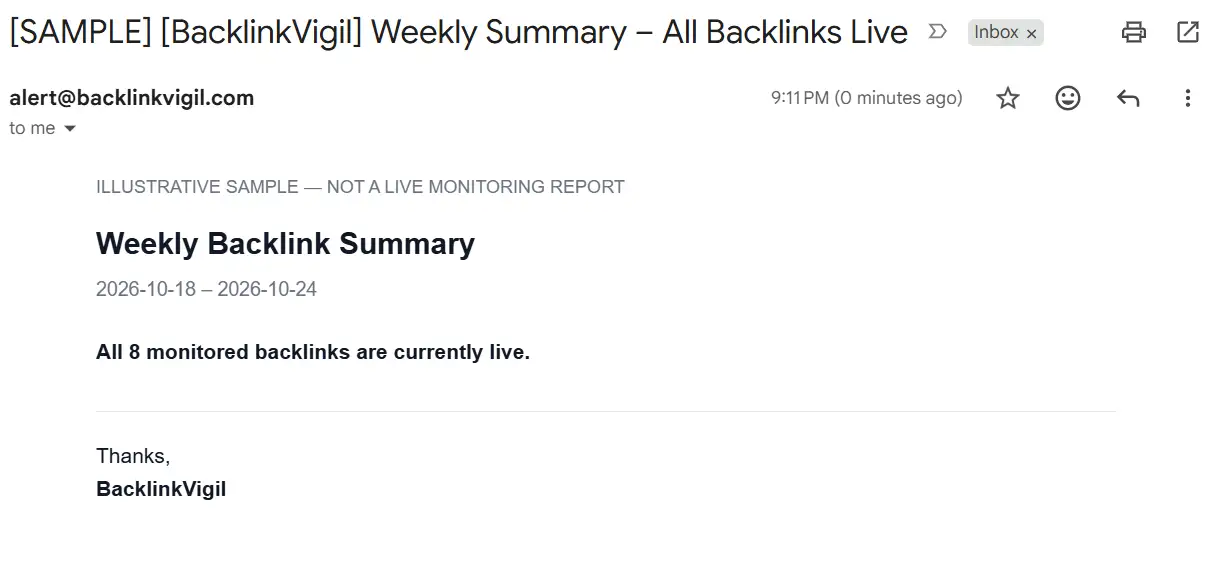
Illustrative Monday weekly summary when all monitored backlinks are live.
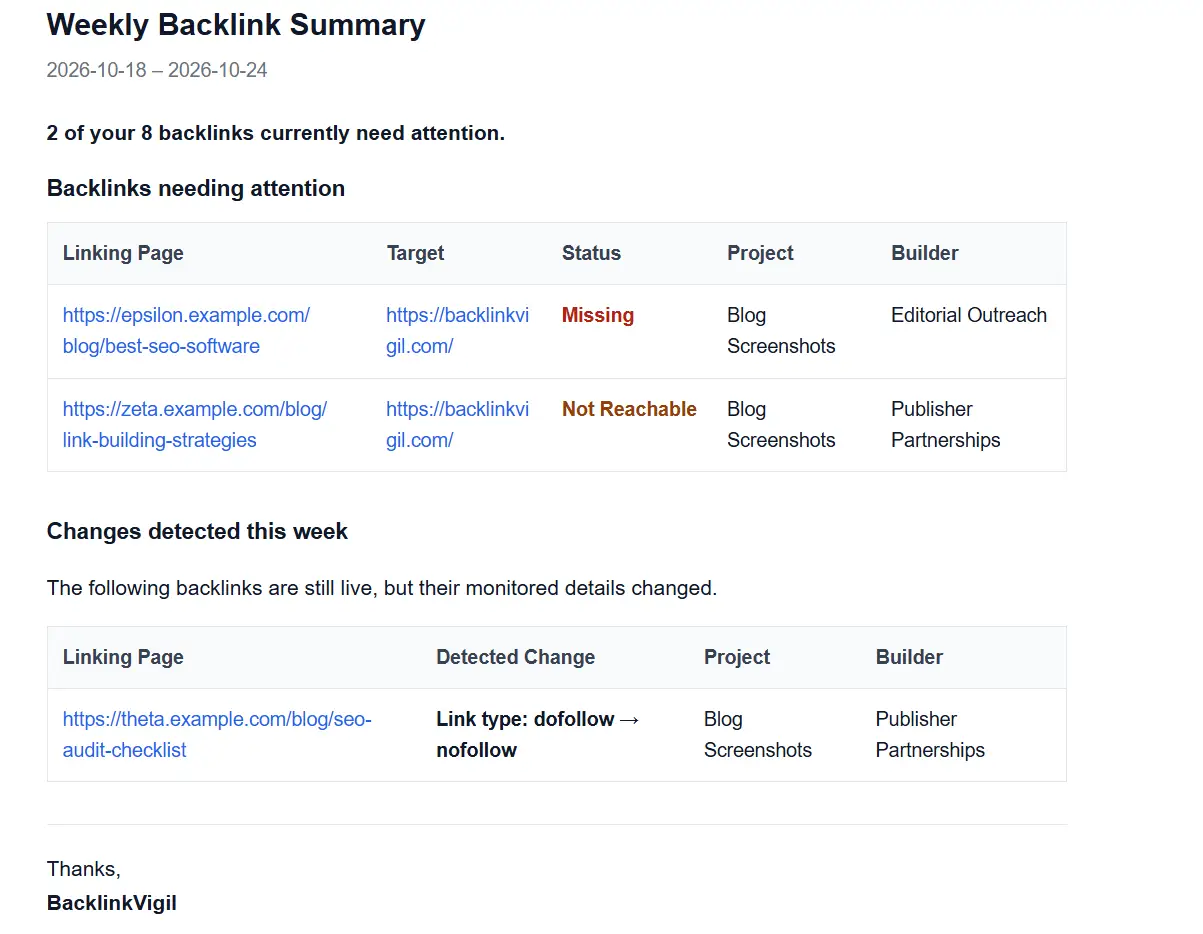
Illustrative Monday weekly summary with missing links and detected changes.
A practical response workflow
When an alert arrives, open the monitoring record and check the verification evidence. Confirm the original placement requirements. If the change is genuine and important, contact the publisher with the page URL, original destination, and requested correction. Record the outreach and verify the result after the publisher responds.
For recurring campaigns, review alert trends weekly. A publisher that repeatedly removes or changes links may warrant closer attention in future placements.
For SaaS founders outsourcing link building: ask the agency to provide the exact linking and target URLs, then add them to a project. If a confirmed loss is reported, share the evidence with the agency and ask for restoration or an agreed replacement.
For in-house SEO managers: keep visibility into link builders’ work without interrupting them for daily status updates. Assign project recipients to campaign owners and use the weekly email to review outstanding issues and changes.
For agencies: use project-specific notifications to avoid mixing clients. Investigate genuine losses first, check changes against the agreed anchor and attributes, and maintain a record of publisher follow-up.
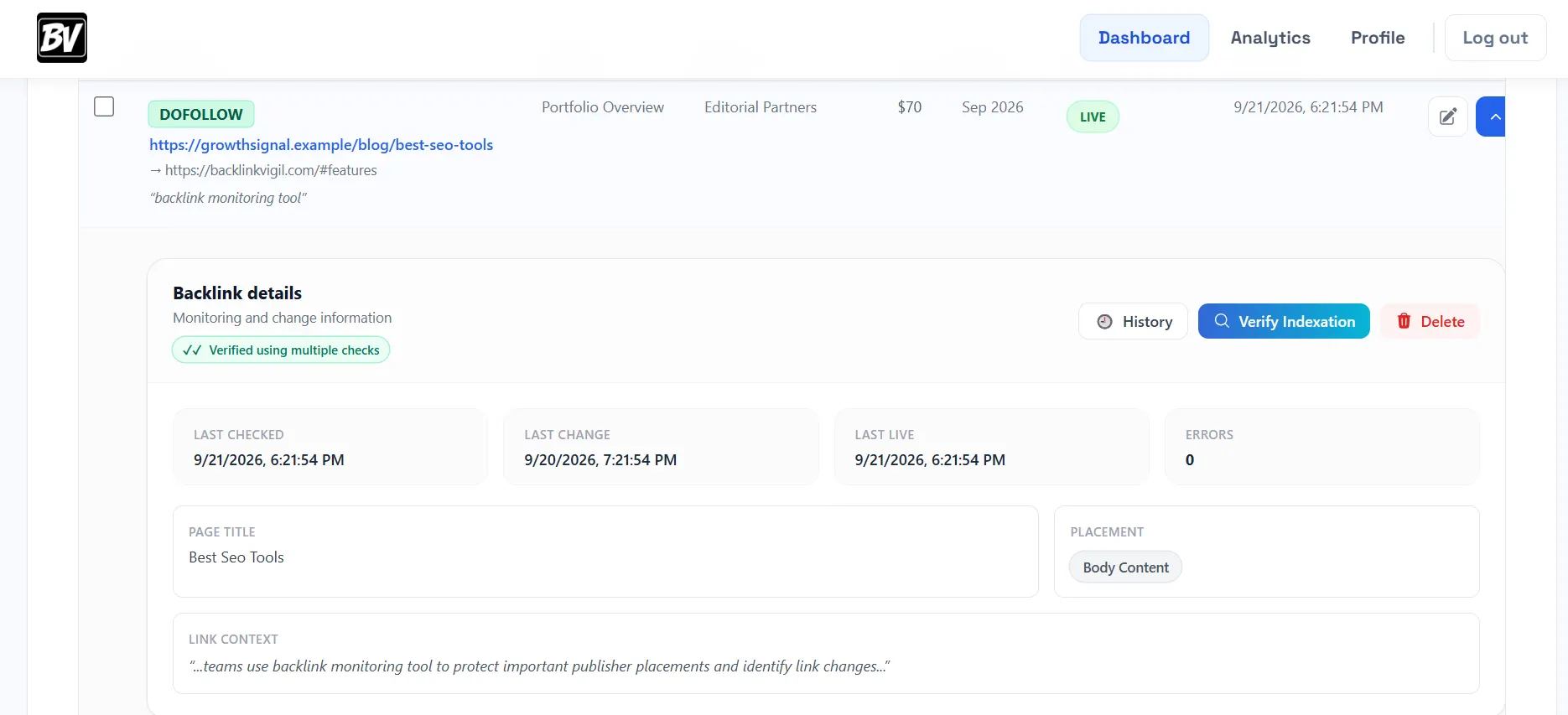
The monitored link record provides context before a publisher or agency is contacted.
Frequently asked questions
Are backlink alerts real-time?
An alert may be sent soon after a monitoring system detects a change, but detection depends on when that backlink is checked. A tool that checks daily cannot guarantee instant detection of every removal.
Can I get an alert when a nofollow attribute is added?
Yes, if your monitoring system records link attributes and compares them with earlier checks. The alert should identify the old and new attributes.
Should I contact a publisher after every lost-link alert?
Not immediately. First distinguish a confirmed removal from a failed verification. Then review the agreement and the importance of the placement.
What if a backlink comes back?
A restoration event helps close the issue and preserve a history of when the backlink was missing and when it was verified live again.
Final takeaway
The best backlink alerts do not simply report more events. They help link builders and SaaS teams separate confirmed placement changes from uncertain checks, prioritize action, and keep a reliable record of what happened.
Get notified when acquired backlinks change. Explore Backlink Vigil for daily monitoring, change alerts, and backlink history.
Daily backlink checks, change history, and alerts for meaningful changes.
Explore Backlink Vigil →