
A backlink can look completely normal on a webpage while carrying an HTML attribute that changes how search engines interpret it. That's why verifying a new placement should involve more than clicking the link and confirming that it opens the right page.
If you acquired a backlink with agreed link attributes, you should check those attributes when the link goes live—and monitor whether they change later.
What is a dofollow link?
“Dofollow” is an informal SEO term for a normal hyperlink without a nofollow restriction. There is no standard rel="dofollow" attribute required to make a link dofollow.
For example:
<a href="https://example.com/">Example website</a>This is a normal hyperlink. Search engines may use it as one signal when evaluating pages, subject to their own systems and policies. A normal link does not guarantee ranking benefits.
What is a nofollow link?
A nofollow link uses rel="nofollow":
<a href="https://example.com/" rel="nofollow">Example website</a>Google treats nofollow as a hint about whether to consider or exclude a link for ranking purposes, rather than a universal instruction that every search engine must handle identically. The link still works for visitors and may still bring referral traffic.
What about sponsored and UGC links?
Two additional rel values commonly appear in backlink audits:
| Attribute | Common purpose | Example |
|---|---|---|
| No special rel value | Ordinary editorial hyperlink | <a href="...">Text</a> |
| nofollow | Indicates a link that the publisher does not want to endorse in the usual way | rel="nofollow" |
| sponsored | Identifies advertising, sponsorships, or other compensated links | rel="sponsored" |
| ugc | Identifies links in user-generated content such as comments or forums | rel="ugc" |
Attributes can appear together, such as rel="nofollow sponsored". Paid placements should follow applicable search-engine link policies; a tool should report the attributes it observes rather than imply every paid link ought to be dofollow.
Method 1: Check a backlink using browser Inspect
This is the most direct manual method:
Open the exact publisher page containing the backlink.
Right-click the linked text and choose Inspect (or open developer tools and select the element).
Find the <a> element associated with the link.
Confirm the href points to the expected destination.
Look for the rel attribute and read all its values.
If the anchor has no nofollow, sponsored, or ugc value, it is generally described as dofollow in SEO reporting. Check the actual HTML rather than relying on the link's appearance.
Method 2: Check the page source
Open the page source (often with Ctrl + U) and search for the destination URL or anchor text. Look at the surrounding <a> tag.
This works for links present in the server-delivered HTML. It may miss links inserted later by JavaScript, so browser Inspect is more reliable for rendered pages.
Method 3: Check links automatically
If you have dozens or hundreds of placements, opening developer tools for every link is inefficient. A monitoring system can fetch the linking page, locate the expected destination, inspect the anchor and rel values, and compare the result with earlier checks.
The important requirement is that the tool checks the specific acquired link, not merely whether the domain has some backlink pointing to your site.
Backlink Vigil monitors known placements and can identify changes to link attributes, anchor text, and other placement details during its daily checks. It also preserves change history so you can see what was observed before and after an edit.
In the dashboard, a monitored link is classified using the link attributes found during verification. The details panel also shows the anchor and surrounding placement context, helping you confirm that the correct link—not just another link on the page—was checked.
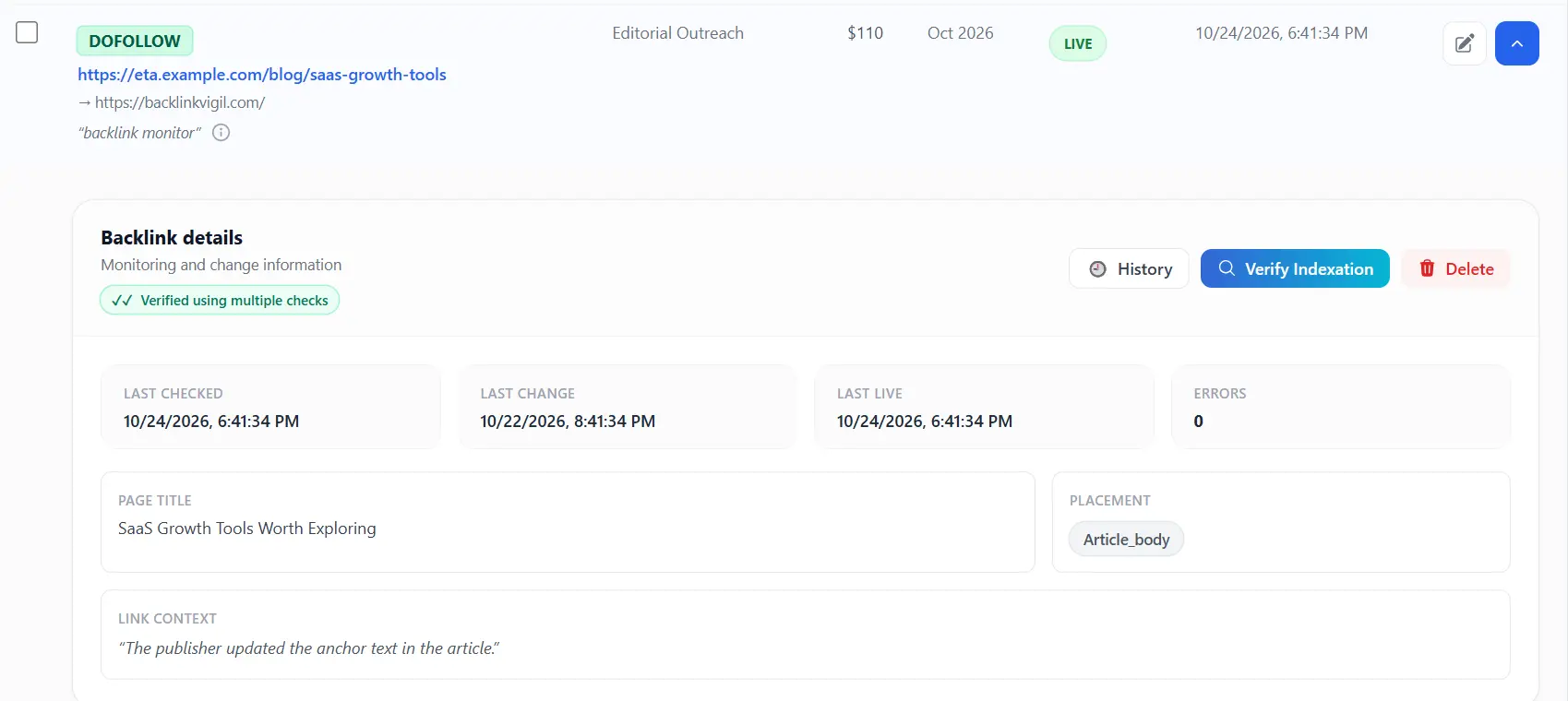
Illustrative monitored placement classified as dofollow, with its supporting details.
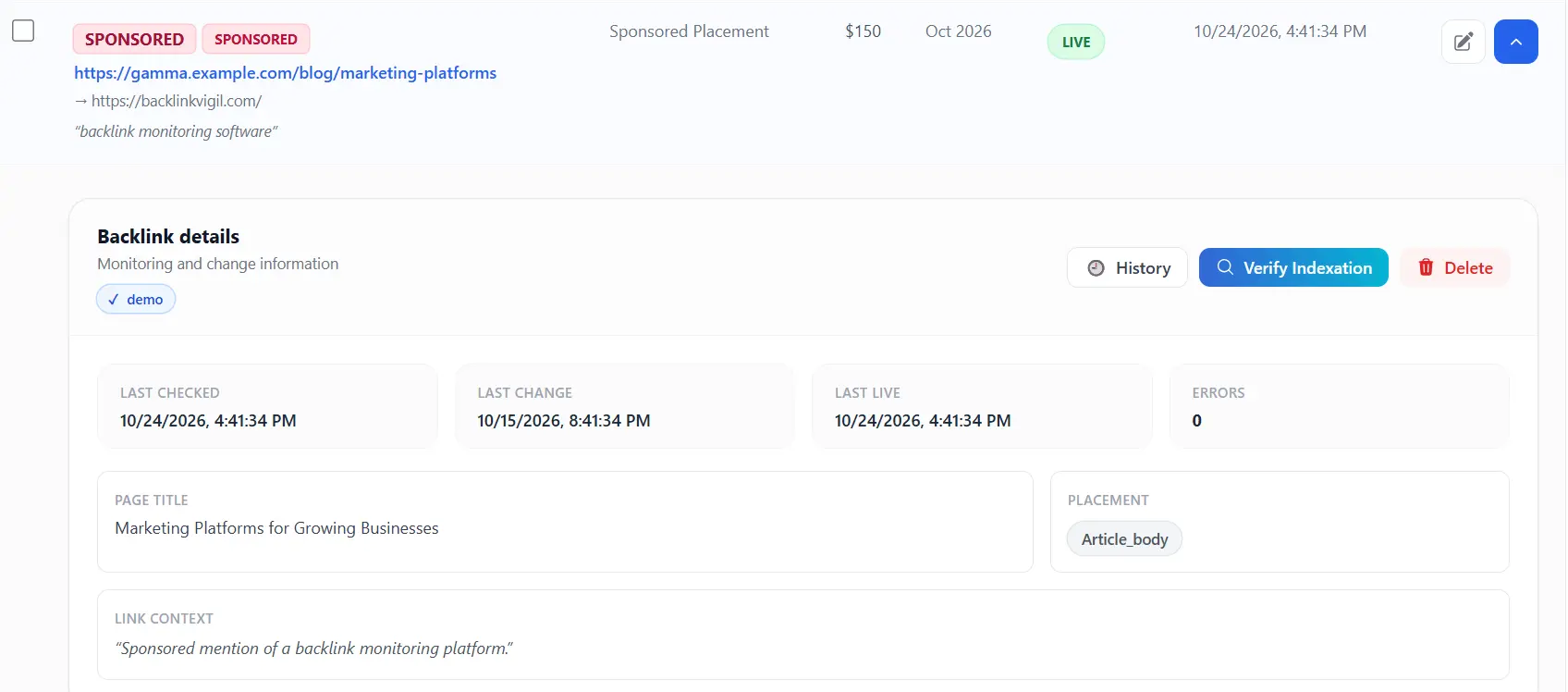
A sponsored backlink is identified separately from a normal dofollow link.
How to identify a dofollow-to-nofollow change
Suppose the original placement is:
<a href="https://yourbrand.com/product">Customer support platform</a>Later, the publisher updates it to:
<a href="https://yourbrand.com/product" rel="nofollow">Customer support platform</a>The link is still live. The anchor and destination have not changed. Only the rel attribute has changed. A live/missing checker alone would overlook that difference.
For example, an agency may deliver a dofollow editorial placement to a SaaS client, but the publisher later adds nofollow. The link still appears in the article, so a simple live-versus-missing check would not flag it. Attribute history and a change email give the SEO manager a specific issue to review against the placement agreement.
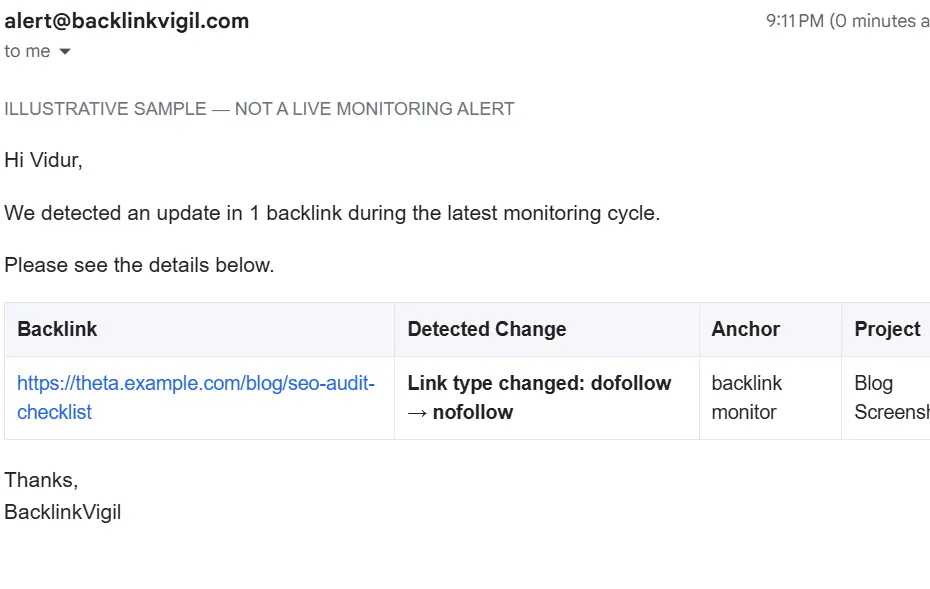
Illustrative alert: the monitored link remains present, but its attribute changed.
To monitor it properly, preserve the original link attributes as a baseline, check the same placement regularly, and record the new values when they differ. If the change conflicts with an editorial agreement, you can follow up with the publisher using the exact page and link details.
For alert priorities and response steps, see our guide to backlink alerts.
Common checking mistakes
Assuming every link without the word “nofollow” is safe to classify without inspection
Check the entire rel attribute. A link may contain sponsored, ugc, or multiple values, and your reporting should preserve those details.
Looking only at the page source
Some sites render links with JavaScript. Inspect the rendered DOM when the source does not contain the expected anchor.
Confusing a blocked crawl with a missing backlink
A 403 response or timeout does not tell you whether a link is dofollow or nofollow. It means the checker could not reliably retrieve the content. See how to monitor backlinks for the difference between verification failures and confirmed removals.
Backlink Vigil’s link history can distinguish an uncertain verification from a confirmed change. If a page cannot be fetched, the tool should not infer that the link became nofollow or disappeared solely from the failed request.
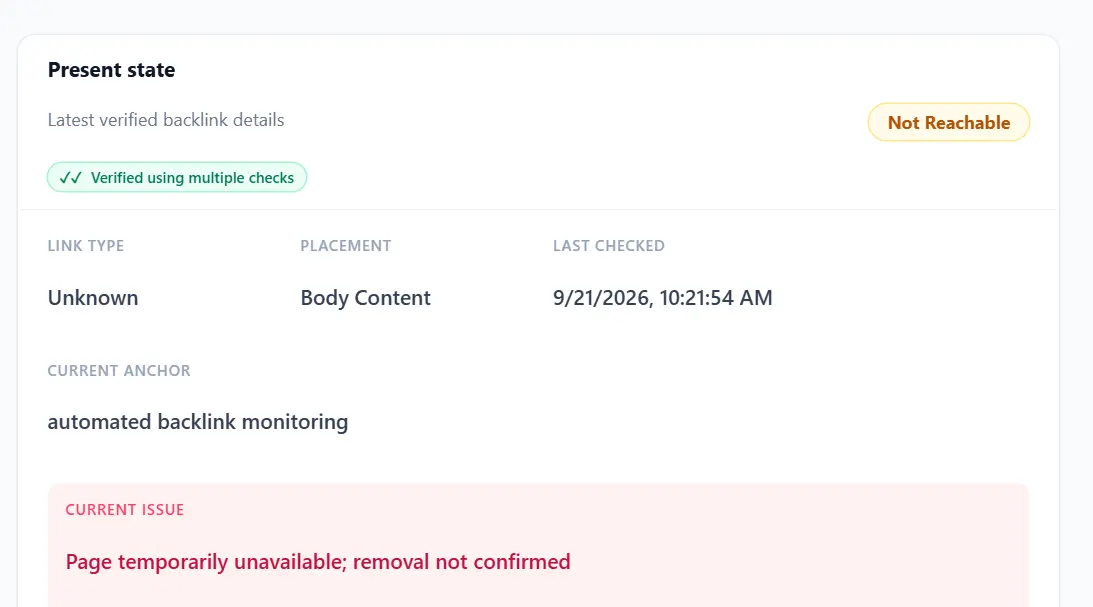
An unconfirmed check preserves the distinction between an unavailable page and a verified link-attribute change.
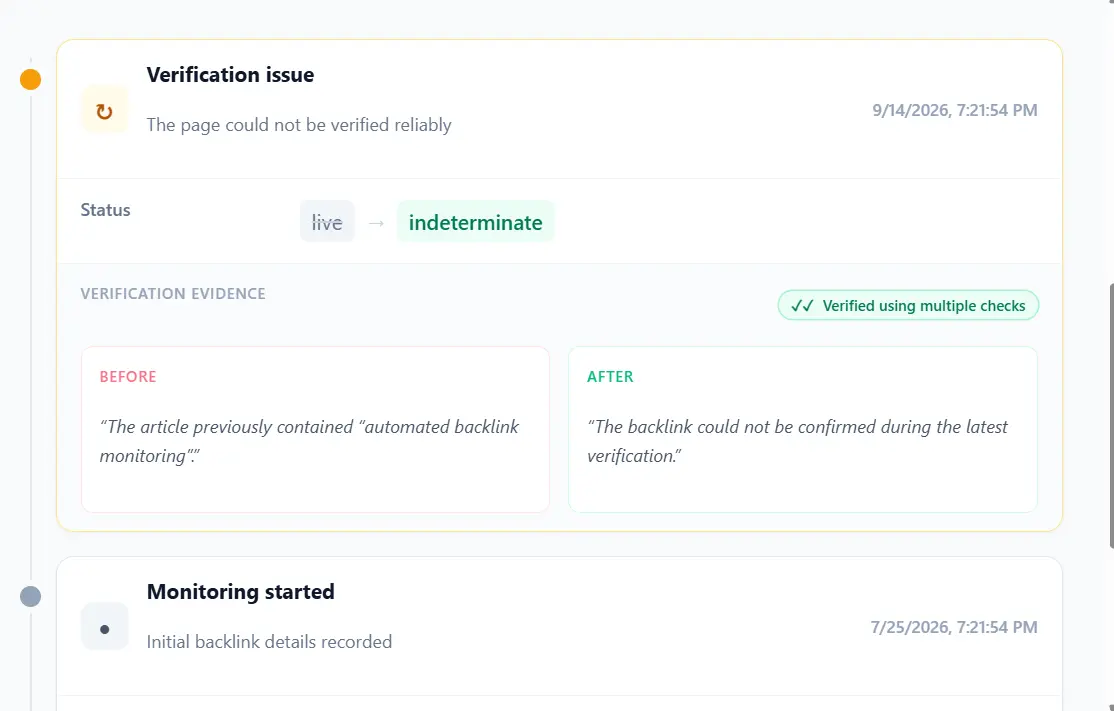
History of an uncertain check, including the previously known link state.
Treating nofollow as a worthless link
Nofollow links can still send visitors, support brand visibility, and appear in useful editorial contexts. Whether a changed attribute is a problem depends on your objectives and the placement agreement.
Frequently asked questions
Is there a rel="dofollow" attribute?
No standard dofollow value is required. A normal hyperlink without a relevant restrictive rel attribute is commonly called dofollow.
Can a link have both nofollow and sponsored?
Yes. An anchor may include multiple space-separated rel values, such as rel="nofollow sponsored".
Does nofollow stop visitors from clicking a link?
No. The hyperlink remains clickable. The attribute concerns how search engines may interpret the link, not whether a person can follow it.
Can a publisher change a backlink from dofollow to nofollow later?
Yes. Publishers can edit link attributes at any time. Monitoring the original placement helps you detect such changes after publication.
How often should I recheck link attributes?
Daily verification is practical for active link-building campaigns, especially when you manage paid or contractually specified placements. Monitoring frequency should be clear and realistic.
Final takeaway
Checking a backlink means inspecting its actual HTML, not guessing from its appearance. Confirm the destination, read the rel values, and preserve a baseline so future changes are visible.
Want to track attribute changes without manually inspecting every placement? Explore Backlink Vigil for daily backlink monitoring and change history.
For a SaaS founder reviewing outsourced placements, this means you can verify whether the links delivered still meet the agreed specifications. For an SEO manager overseeing several link builders, it means checking changes by campaign rather than relying only on delivery spreadsheets. For agencies, it creates a repeatable quality-control step after publication.
Daily backlink checks, change history, and alerts for meaningful changes.
Explore Backlink Vigil →